Back To Blog
Top Rechargeable Gadgets for Everyday Efficiency
The best rechargeable gadgets for everyday use solve recurring problems: a phone running low, an awkwardly lit workspace, or another pack of disposable batteries to replace.
Start with devices you will use regularly, then compare charging compatibility, maintenance, and battery replacement options.
This article highlights useful categories and practical buying checks rather than presenting an untested ranking of individual products.
Which rechargeable gadgets are worth buying for everyday use?
Prioritize a portable charger if you regularly run out of phone power, a rechargeable light for hands-free tasks, and rechargeable batteries for compatible devices you already own.
Beyond those basics, choose around your routine: desk accessories for work, headphones for commuting, or cordless tools for household projects. There is little value in buying a rechargeable version of something you rarely need.
Before shopping, identify the inconvenience you want to remove. “Keep my phone available during a long commute” is a better buying brief than “get the biggest power bank.” It gives you a clear way to judge size, charging performance, and portability without paying for features you will not use.
Use this shortlist to narrow your options:
|
Everyday need |
Gadget category |
What to check first |
|---|---|---|
|
Phone backup |
Portable charger |
Device compatibility and output |
|
Hands-free lighting |
Rechargeable headlamp |
Fit, controls, and useful brightness settings |
|
Desk work |
Rechargeable mouse or keyboard |
Comfort and charging access |
|
Listening and calls |
Rechargeable headphones |
Fit, microphone features, and service options |
|
Small household jobs |
Cordless screwdriver |
Grip, torque control, and included bits |
|
Regular grooming |
Rechargeable trimmer |
Cleaning instructions and replacement blades |
|
Frequently used AA/AAA devices |
Rechargeable battery kit |
Device and charger compatibility |
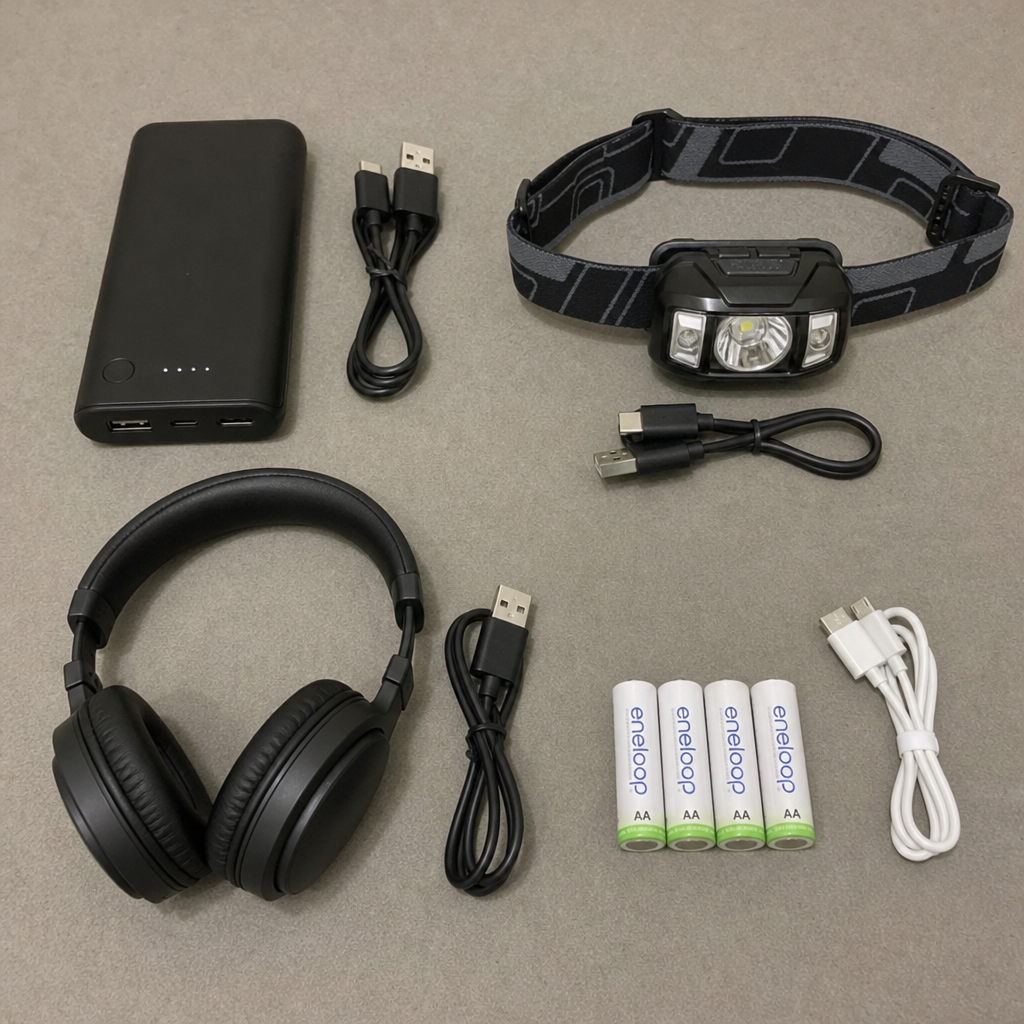
Rechargeable gadgets that earn their place
These categories are starting points, not a checklist to complete. Choose the one that addresses your most frequent frustration, then assess whether it fits your storage space and charging habits.
Portable chargers for power away from an outlet
Put portable chargers near the top of your shortlist if your phone struggles through your normal day. For a pocket or small bag, prioritize comfortable carrying weight over maximum capacity. For a laptop, check its charging requirements before assuming a phone-oriented power bank will work.
Compare output capability as well as stored capacity. USB Power Delivery is a charging specification, while USB-C describes the connector; do not treat the connector alone as proof of charging performance. Check the power bank, cable, and device specifications together.
Avoid promising yourself an exact number of phone recharges from the advertised milliamp-hour figure alone. Anker’s documentation explains that voltage conversion and charging losses affect usable capacity. For shopping purposes, look for clearly explained output ratings and realistic compatibility information.
Rechargeable lights for practical visibility
Consider a headlamp for tasks where you need both hands, such as finding something in a dark closet or working beneath furniture. Choose a handheld light if you would rather direct the beam independently. Try the controls before buying when possible: an impressive feature list is less useful if changing modes feels awkward.
Compare runtime at the brightness setting you expect to use, rather than pairing the brightest output claim with the longest runtime claim. Black Diamond’s headlamp instructions, for example, list different runtimes for different brightness levels. That distinction matters more than a headline brightness number.
For your own shortlist, favor accessible charging ports, a clear battery indicator, and a shape you can store where the light will actually be needed.
Rechargeable mice and keyboards for your desk
Choose desk accessories by comfort first. Consider your preferred mouse shape, keyboard layout, desk size, and whether you switch between computers. Treat the battery as one part of that decision, not the reason to accept an uncomfortable design.
Before purchasing, check whether the accessory works while charging and where its charging port sits. Picture a low-battery warning halfway through a work session: would connecting a cable let you continue comfortably, or interrupt your setup?
Also compare an integrated rechargeable design with an accessory that accepts replaceable rechargeable cells. Ask which arrangement you would rather maintain over several years. If your current keyboard and mouse work well, keep them until there is a genuine reason to change.
Rechargeable headphones for commuting and calls
For headphones, start with your listening environment. Put fit and accessible controls high on the list for commuting; prioritize microphone features and easy muting for frequent calls. Try to assess comfort over a realistic listening session rather than choosing by appearance alone.
Read the battery specifications carefully, including any conditions attached to the advertised runtime. For earbuds, distinguish the listening time of the earbuds themselves from any total that includes their charging case. Check the exact model’s documentation rather than relying on a retailer’s abbreviated headline.
Before deciding, look for replacement ear tips, cushions, or service information. Ask yourself whether you would still want the headphones if their most heavily advertised extra feature disappeared. That helps separate everyday usefulness from novelty.
Battery-powered tools for household jobs
Choose battery-powered tools around the work you actually do. A compact screwdriver may suit furniture assembly and small adjustments better than a larger tool you find cumbersome. For drilling or more demanding fastening, compare the tool’s stated capabilities with your planned materials and tasks.
Handle the tool if possible. Check whether you can reach the direction switch comfortably, change bits without frustration, and hold it steadily in the positions your jobs require. Consider storage too: scattered bits and a misplaced charger can undermine an otherwise useful purchase.
If you already own cordless equipment, consult the manufacturer’s compatibility information before buying another battery or charger. Compare the complete kit contents, not just the tool’s headline price, and avoid assuming that similar-looking battery packs are interchangeable.
Rechargeable trimmers for routine grooming
A rechargeable trimmer belongs on your shortlist when its attachments and adjustment range match your existing grooming routine. Start with those practical details rather than a long list of styling possibilities you are unlikely to use.
Check the manufacturer’s cleaning instructions carefully. Look for an explicit description of which components can be rinsed, how they should dry, and what maintenance is required. Do not infer cleaning permissions from product photographs or vague water-related wording.
Before buying, find the replacement blade or cutting-head information and consider where you will charge the device. A simple model with clear maintenance instructions may be a better personal choice than a complicated kit whose accessories remain in the box.
Rechargeable AA and AAA batteries for existing devices
Before replacing a familiar gadget, check whether its instructions permit rechargeable batteries. If they do, a suitable battery-and-charger kit lets you retain the device rather than shopping for a new integrated-battery version. Check the required chemistry and specifications, not merely the battery’s physical size; EPA notes that battery chemistry should be identified from labeling.
Start with one frequently used, compatible device. Choose a charger explicitly intended for the cells you buy, and follow both sets of instructions. Keep a designated place for charged batteries so they do not become mixed with cells awaiting charging.
For equipment with specific battery requirements, follow its manual instead of treating rechargeable cells as a universal substitute. Compatibility comes before convenience.
Charging compatibility matters more than extra features
Make charging part of the purchase decision, not an afterthought. Write down the connectors and charging requirements of the devices you intend to use together. Then check whether your proposed charger and cables support them; USB-IF documentation distinguishes USB-C connectivity from USB Power Delivery support.
Before checkout, confirm:
Required accessories: Is the necessary charging cable or adapter included, or must you obtain it separately?
Port access: Will the charging connection remain accessible in your intended storage spot?
Charging routine: Can you conveniently recharge between normal uses?
Replacement options: Can you obtain another cable, charger, battery, or manufacturer service when needed?
Instructions: Are charging requirements and limitations clearly documented?
Wireless charging deserves a separate compatibility check. The Wireless Power Consortium maintains a database of Qi Certified products, so verify the exact model rather than relying solely on phrases such as “wireless compatible.” Certification information provides a firmer basis for checking a product’s claims.
Choose wireless charging when placing a compatible device on a stand or pad genuinely suits your routine. Choose a cable when that arrangement is simpler for you. Neither option should distract from the more important question: will this setup be easy enough to use consistently?
Are rechargeable gadgets always the more sustainable choice?
No—rechargeability alone is not enough to establish that a product is the more sustainable choice. For your own purchasing decision, consider whether you need the device, how you will maintain it, and what happens when its battery stops being useful. EPA’s guidance emphasizes recovering battery materials and managing batteries properly at the end of their service life.
Treat claims about sustainable electronics as prompts for questions, not as a substitute for product information. Ask whether replacement parts are listed, whether battery service is explained, and whether disposal guidance is easy to find. Apply the same scrutiny to broad green technology language: identify the specific feature being claimed before letting it influence your purchase.
A practical buying rule is to keep a functioning device unless a replacement solves a meaningful problem. When replacement becomes necessary, favor a product you can realistically look after. Think beyond unboxing: imagine cleaning it, locating its charger, obtaining a worn part, and eventually arranging appropriate recycling.
Keep batteries useful with a simple care routine
Follow the care instructions for each device rather than applying one charging rule to every battery type. Temperature guidance deserves particular attention: Apple warns that excessive heat can permanently damage battery capacity and that charging in high temperatures can worsen the damage. Use your own device manufacturer’s specified operating and storage conditions.
Build these checks into your routine:
Read the charging instructions. Confirm the approved charger requirements and any restrictions before first use.
Review storage guidance. For devices you put away seasonally, check the manufacturer’s recommended storage conditions and charge level.
Keep disposal instructions accessible. Save the relevant manual or support information so you can find it when the battery reaches the end of its useful life.
Ask before handling damage. EPA recommends contacting the manufacturer for specific handling information if a lithium-ion battery becomes damaged.
Do not put rechargeable batteries or devices containing lithium-ion batteries in household trash or curbside recycling. EPA recommends appropriate battery collection, electronics recycling, or household hazardous waste options. Follow the collection provider’s preparation instructions, including terminal protection where applicable, and check ahead about damaged batteries.
Buy for the routine you already have
Start with one recurring inconvenience and choose the simplest rechargeable solution that addresses it. Compare usability, charging requirements, maintenance, and replacement options before being persuaded by extra features.
You do not need a drawer full of new electronics. Build a small collection deliberately, keep the instructions accessible, and reconsider each purchase against the devices you already own. The right gadget should fit into your day—not create another chore.
Frequently Asked Questions About Best Rechargeable Gadgets for Everyday Use
What are the advantages of using rechargeable gadgets over disposable ones?
Rechargeable gadgets help reduce waste and can save money in the long run, as they eliminate the need for frequent battery replacements. They often have better performance and reliability, contributing to a more sustainable lifestyle.
How do I know which portable charger is best for my devices?
When selecting a portable charger, check the compatibility with your devices, the output capacity (measured in milliamp-hours), and the number of charging ports available. Look for USB Power Delivery support if you need faster charging for compatible devices.
Can I use rechargeable batteries in all devices?
Not all devices are compatible with rechargeable batteries. Always check the manufacturer’s recommendations and the device's specifications to confirm that it supports rechargeable batteries to ensure safe and efficient use.
How long do rechargeable batteries typically last?
The lifespan of rechargeable batteries varies based on usage, type, and care. Lithium-ion batteries usually last about 2-3 years or 300-500 charge cycles, while NiMH batteries may last around 500-1000 cycles. Proper care can help extend their life.
Are wireless chargers reliable for fast charging?
Wireless chargers can be convenient, but their charging speed often lags behind traditional wired chargers. Look for chargers that support fast charging standards and check device compatibility for optimal performance.